We had a “NetBackup Appliance 5250” in our firm it was working fine until I touched it!
The system OS crashed and as it was not booting up , I decided to re-image the FLEX OS version 3.
The appliance is attached to a flat switch (basic LAB environment) via Ethernet cables.
I have already configured the BMC (remote management) (you need to press F6 ,Setup,BMC configuration)on the appliance.
I have received the FLEX OS from one of my colleagues and attached it to Appliance via virtual CD in BMC (remote management connection).
Once the ISO is connected , restart the appliance and press F6 and boot from the Virtual CD.
the media will take care of the installation and will run a set of scripts and finish the OS installation.
After the OS installation is finished, we will login to the OS and do a few configuration changes.
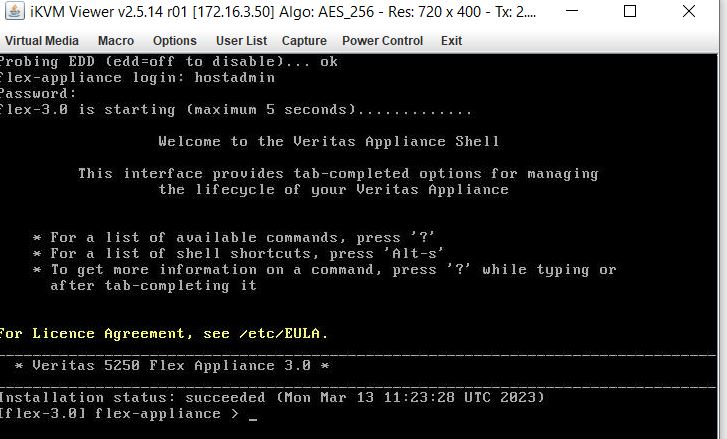
By pressing “?” question mark , we will get the available options commands.
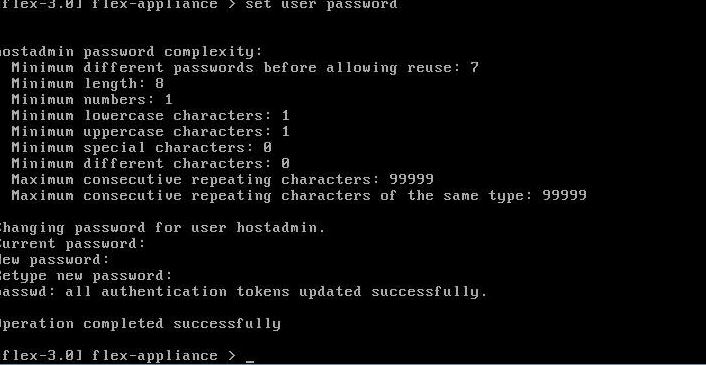
First of all, we will change the password for the default user, hostadmin:
set user password
then we will change the time and date on appliance
set date timezone
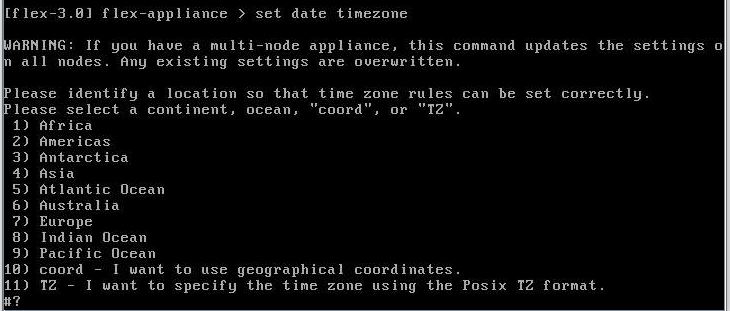
once done,show date to confirm the date is correct.next step will be :
setup configure-network
provide the information for node administration console,
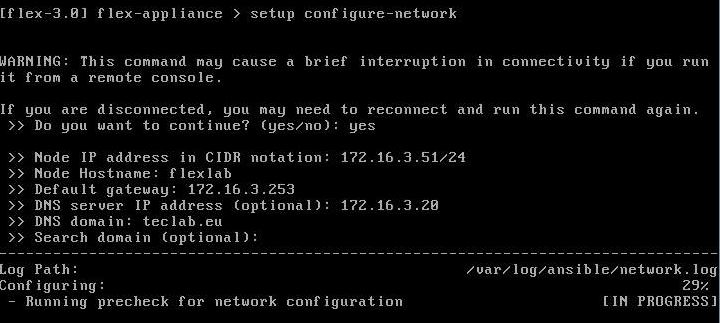
last step will be to configure the console
setup configure-console

once it is completed, to access the FLEX console via GUI, open a browser and use the IP which we configured earlier, you can log in with default username “admin” and default password(P@ssw0rd), you will be asked to change the password upon first login.
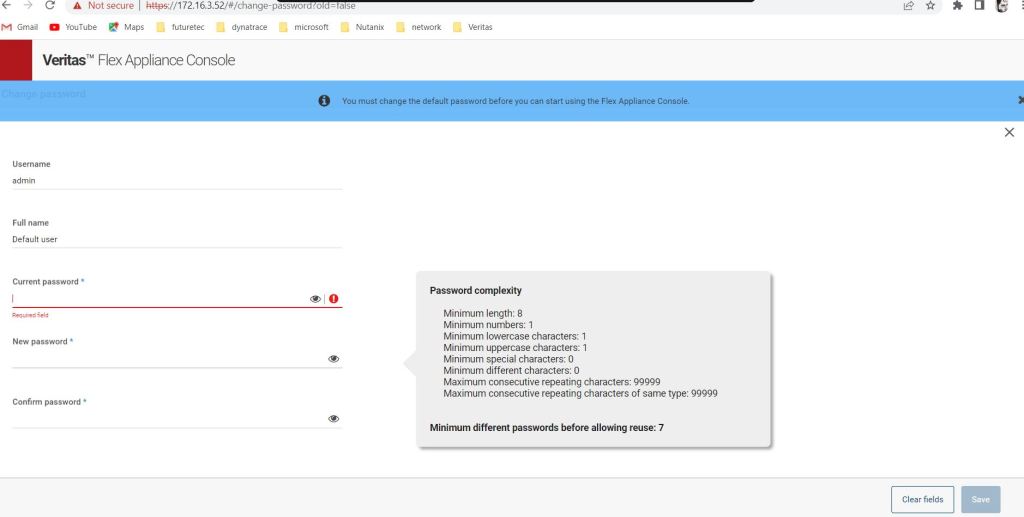
Now our Flex appliance is ready to be configured.
Ahmad,
 tech journey
Hi, if you don’t mind. Can you share a link to download the ISO installation file for Veritas Flex OS??Thanks
LikeLike
Hi, if you don’t mind. Can you share a link to download the ISO installation file for Veritas Flex OS
LikeLike
Hi reza376,
If you have an active veritas license, you can get the ISO from their website.
LikeLike
Hi Ahmad,
I have a private lab with an old NetBackup appliance server, and I don’t have an active Flex license. I’m curious to try installing Flex on the old server (if it’s successfully installed) and explore Flex NetBackup. So that’s why I asked you to share the flex iso.
LikeLike
Hi, if you don’t mind. Can you share a link to download the ISO installation file for Veritas Flex OS?Thanks
LikeLike