In my lab I have a Netbackup master server which is installed on top of a Windows Server 2016, In this post I will explain how you can install Netbackup media server on a Linux server.
I have the below components in my LAB:
-Netbackup Master server 10.0.0.1 installed on a Windows server (2016)
-CentOS Linux (version 7) which will be used to install media server on top of it
first, We will install the latest update on our CentOS:
(for the purpose of this lab, I have logged in as root)#yum update
Since we will use CentOS as our base OS, we will install below packages in our CentOS:#yum install libnsl.so.1#yum install libXtst#yum install libnsl
These packages are mandatory for a successful installation of Veritas Netbackup software on CentOS (Red hat) server.
Once you have installed these packages, you need to confirm a few points:
-time between Master server and media server needs to match and be in sync:
-you need to add the media server IP and host name and FQDN to master server, and add the master server IP, hostname and FQDN to the media server hostname, it is recommended to keep both records on both servers hosts name.
-Add DNS records in DNS, make sure your DNS zone has a reverse zone attached to it and confirm the connectivity by IP and hostname in both direction between master and media server.
-in master server, access the master server properties, and add the media server name under server name, and additional server name (if media server will be used as
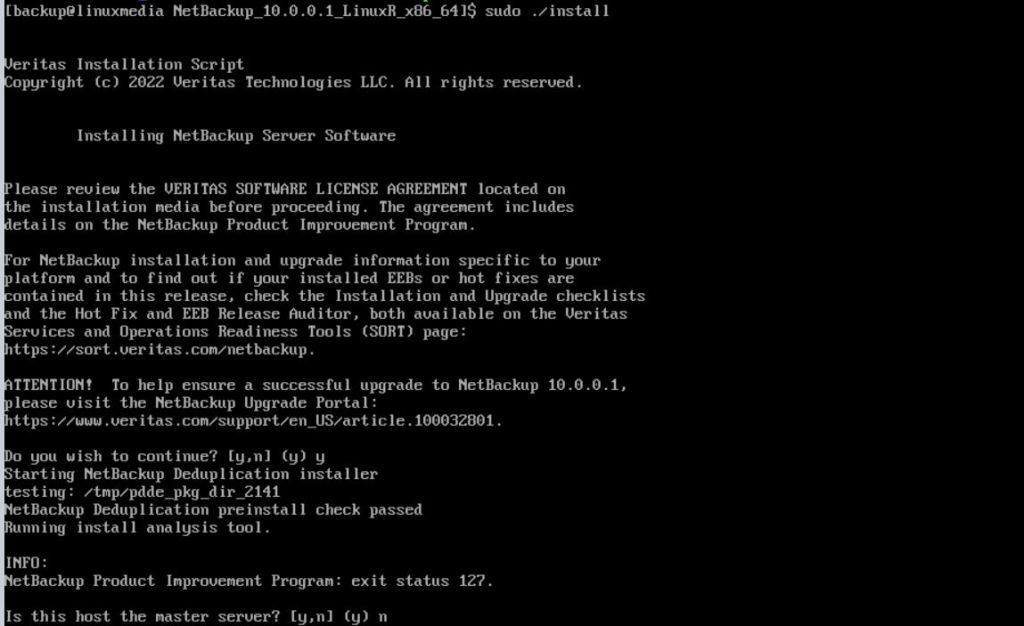
Once you have confirmed all the above, we can start the installation, connect the Netbackup setup media to our Linux server and after mounting it, Open a terminal, and traverse to Netbackup set up folder. Start the installation : (under root account)
#./install
Is this host the master server? n (it will be a media server)
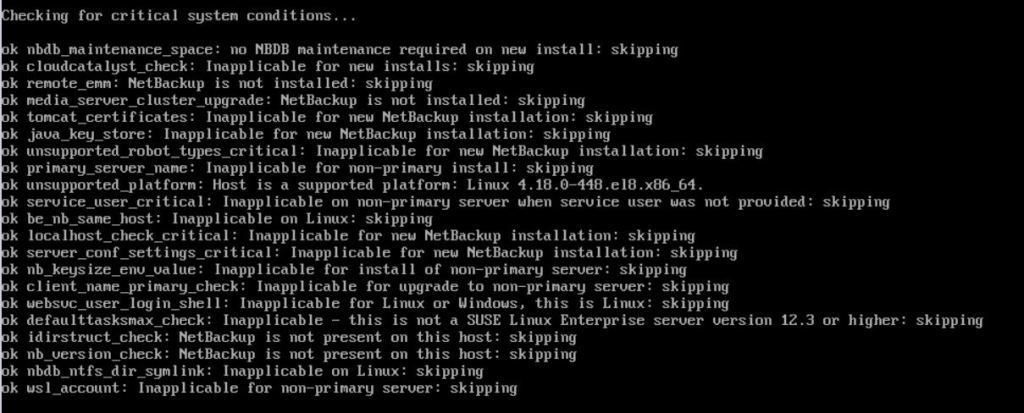
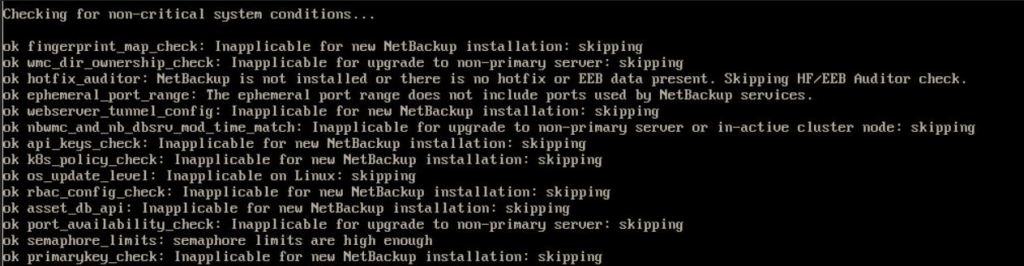
The installation will do a check on list of Critical and non-critical tests which you need to get OK for all of them. In case any of the test fails, Installation will give you hint on how to sort out those issues.
Would you like to use <your Linux hostname>as the configured NetBackup server name of this machine? y
note:if you like Netbackup to fetch the FQDN for your Linux host, simply add the FQDN to your host file in your Linux host.
Provide your master server FQDN as an answer for second question.

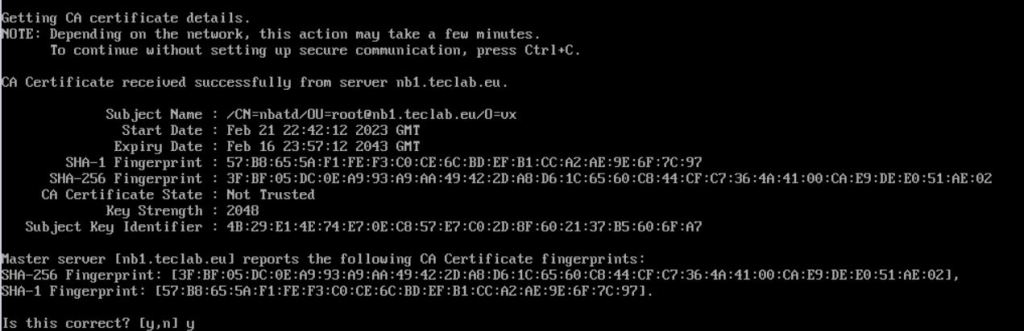
You will be provided with CA and fingerprint from your master server. Once you are sure this is the correct master server, provide ‘y’ as answer
note, if you received anything other than master server CA and fingerprint, (“host security unknown), you have missed one of the previous steps, I recommend you double-check your setup before proceeding any further.
You will be asked to provide the authorization number:

To get the authorization number, just go to your master server console, Security management, certification management, token management, and create a new token, once you create, you will receive a token value, which you need to enter it in your Linux server.
Note:the token letters will be invisible in Linux server, when you are typing them, you need to type and press enter.

You will need to enter the Netbackup activation code to proceed with installation
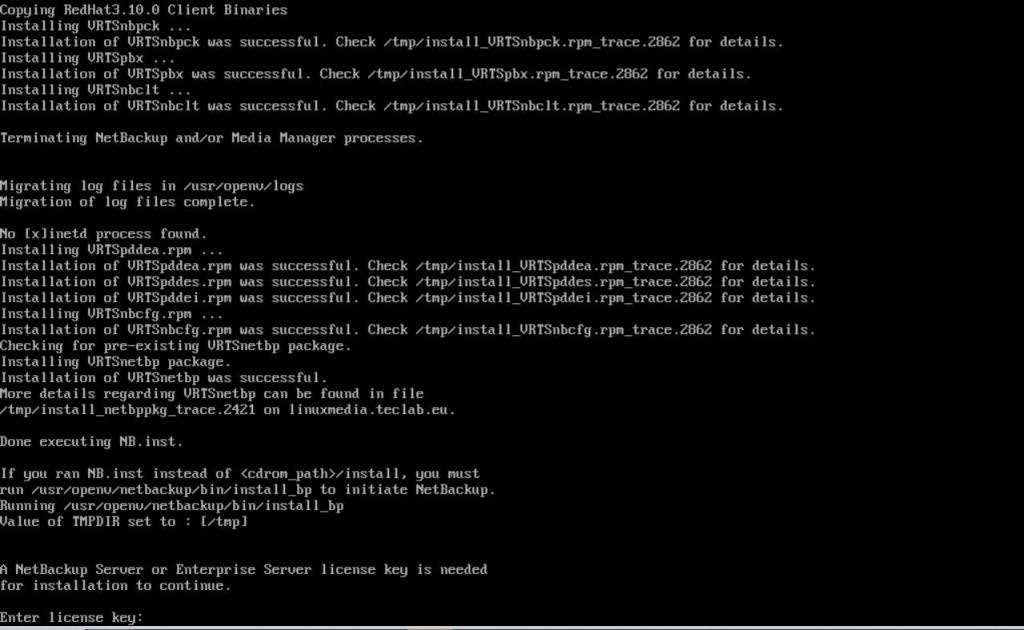
You will now be asked if you like to have java GUI and JRE installed in your media server, since this is a media server, you do not need, the java GUI, choose 2

the installation will proceed and complete eventually.

Now, if we access our master server console, we should be able to see the new media server name under the media server list.
Ahmad,
 tech journey