When you are hosting your Exchange in a hybrid or if you have recently moved your exchange from on-premise to cloud, you will face issues which cloud be hectic and time-consuming .
A few days ago , I was asked to change Primary SMTP email for a client, I have tried to change the primary SMTP from cloud and faced the below error:An Azure Active directory call was made to keep object in sync between Azure Active Directory and Exchange Online
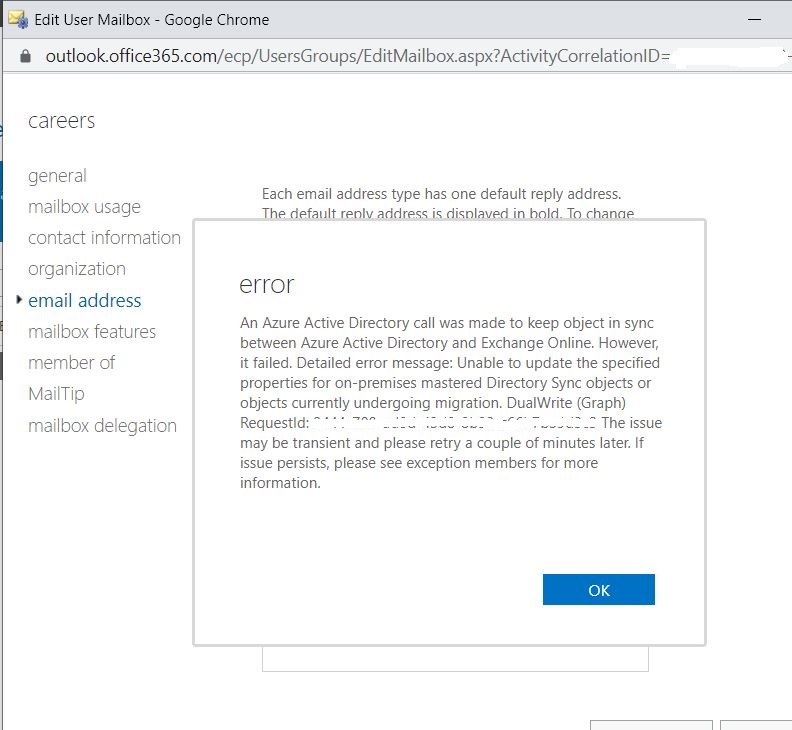
Steps I did to fix the issue:
1-I accessed the local AD ,accessed enduser’s attribute editor Traget address, it did not solve the issue
2-followed a microsoft article and used below code :Set-ExecutionPolicy RemoteSignedInstall-Module MSOnline command.
Connect-MsolService
Set-MsolUserPrincipalName -UserPrincipalName "davidc@contoso.com" -NewUserPrincipalName davidchew@contoso.com
still the issue was not fixed.
3-After opening a ticket with microsoft support, we finally found the solution:
just go to on premise AD, access end user’s attribute Editor, open proexyAddress attribte and change or add email as below:
SMTP:email@domain.com > primary SMTP
smtp:email@domain.com > secondary SMTP
The issue was fixed!
Don’t forget to sync your AD with cloud to reflect your changes.
delta sync can be done via below powershell code:
Import-Module ADSync
Start-ADSyncSyncCycle -PolicyType Delta
Ahmad
 tech journey